

Breakdance has recently released information for the next update - version 2.4. Many in the Breakdance community believe that it is the best update since version 2.
The most important new features of Breakdance 2.4 at a glance:
Preview mode in the Builder
With the new preview mode, you can view your website directly in the builder in full-screen view. This saves you time for buffering and opening the page in a new tab.

Integration of ACF Flexible Content
According to the community, this is the game changer of this update. The integration of ACF Flexible Content allows you to create dynamic pages with a protected design. Content can be updated directly via WordPress without having to adjust the layout or go to the builder. By linking global blocks in Breakdance with specific layouts in ACF, you can implement flexible and client-editable layouts.
As there has been some discussion about this, here is a practical use case as an example: As a web designer, you can use it to create protected templates, e.g. for landing pages, which the customer can then fill with content (images, text, etc.) without destroying the design in any way. This is certainly not for all customers, but for those who want to actively collaborate, it is definitely a great enrichment.
New element: Hover Swapper
With the new hover swapper element, content can be replaced dynamically on hover. Ideal for showing alternative images, providing additional information or incorporating visual effects. The transitions can be customized so that they fit perfectly into the design.
Until now, this could only be implemented in a roundabout way with backgrounds and animation effects in the wrapper.
Icons in Menu
Icons, images or other elements can now also be integrated into the top menu level. Menu items can also be combined with dropdowns that use either standard menu dropdowns or global blocks. This gives us even more design options for the navigation.
Conditional form actions for actions
The Form Builder now has Conditions, which allow you to perform actions based on whether a condition is met.
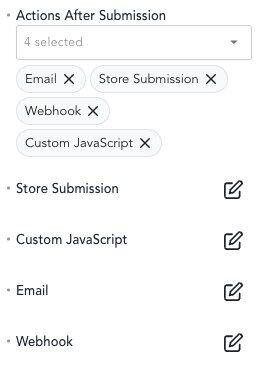
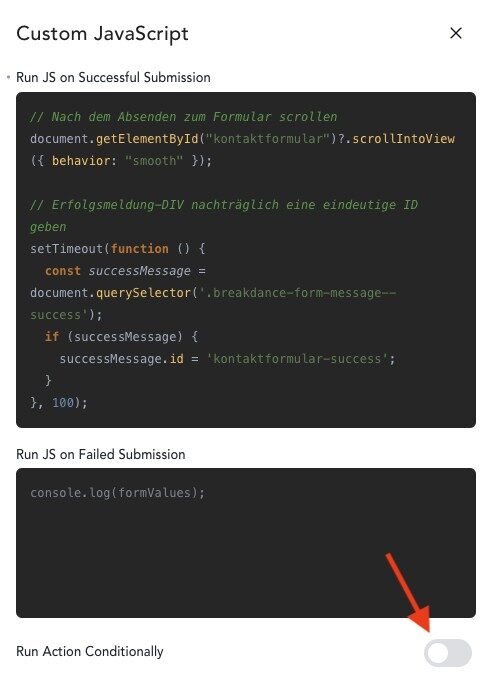
For example, a custom JavaScript can only be executed if a certain field in the form has been filled in.
Personally, I would like the conditions to be one level deeper. Then one could send different emails depending on the selection (e.g., a „Subject„ selection field) to different recipients (e.g., to support@, if “Support" is selected).
This can currently only be solved with a trick. Here you can find my tutorial on Dynamic Email Recipients in Breakdance.
Second Product Image on hover in WooCommerce
In the WooCommerce product lists, there is now a function that automatically changes the product image to the second product image when hovering. This is familiar from other WooCommerce themes. A nice and useful effect to make the design more intuitive.
Double-click to open the Media Library
Small but nice extension of the image element: Instead of clicking on the image and then clicking on Image in the sidebar, you can now open the media library directly by double-clicking and selecting your desired image.
New element: Overlapping Images
The new „Overlay Image“ element allows you to arrange images creatively. You can place them overlapping, adjust their size and position and use them to create appealing layouts.
Conclusion
I think the new version has some helpful functions and improvements that make our lives a little easier. I will soon be testing my practical example of ACF Flexible Contents with a customer. It could really be a great asset.
You can find the official contribution from Breakdance here.
 Deutsch
  English
0 Comments